
From order to delivery, nothing falls through
A clear status pipeline, pack lists, and production tools, so every order gets roasted, packed, and delivered on time.
Open
Packed
Delivered
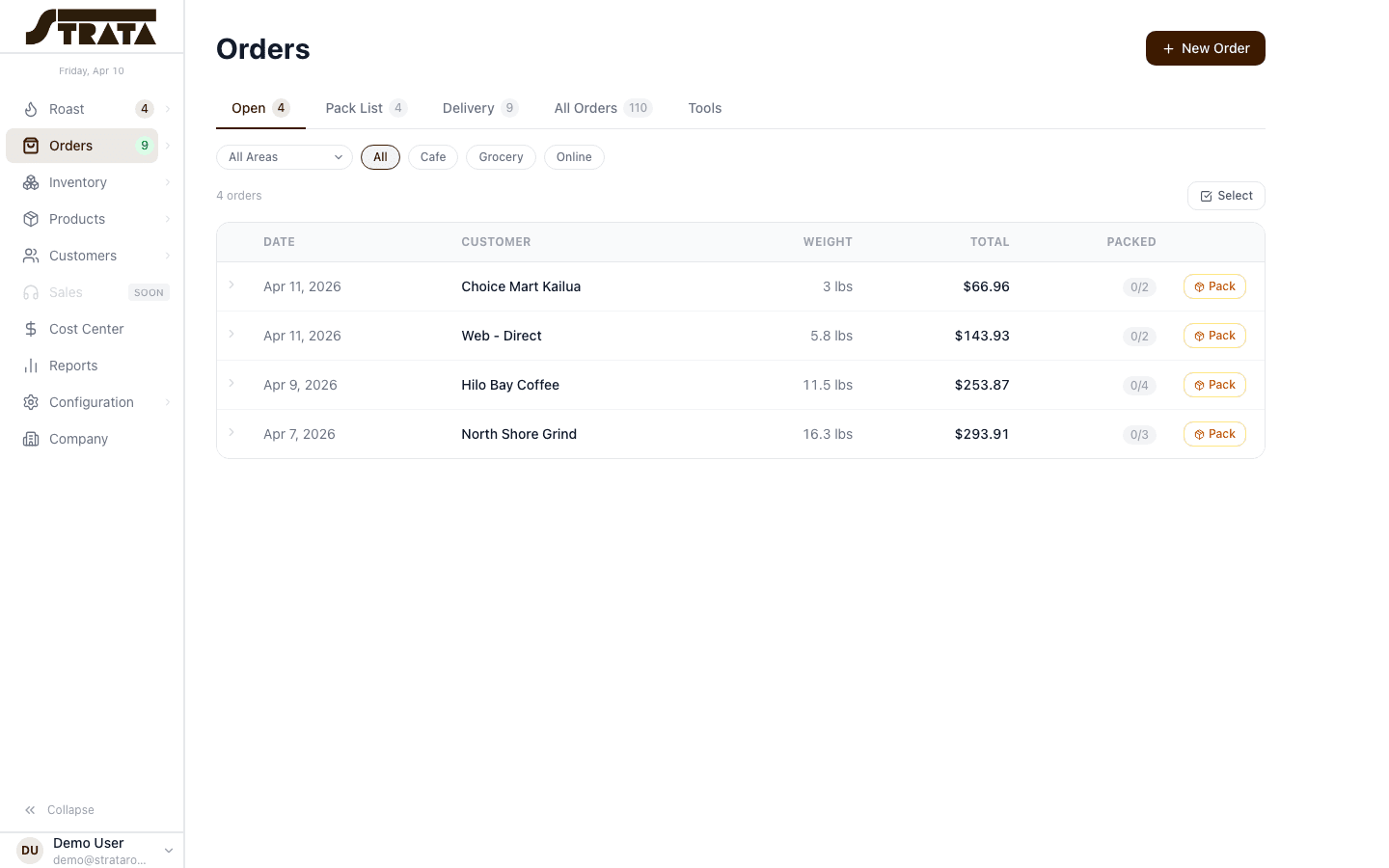
Every order follows a clear, trackable pipeline from creation to delivery.
Order lifecycle management
Every order flows through a clear pipeline: Open, Packed, Delivered, or Canceled. Status changes propagate to line items automatically, keeping your team in sync without manual updates.
- Open → Packed → Delivered status pipeline
- Bulk status updates for multiple orders at once
- Line-item status syncs with order status
- Canceled orders excluded from all totals
Pack lists and delivery tracking
Generate pack lists for your team on the floor. Track which items are packed, which are still open, and how much is left to fulfill this week.
- Visual pack list with per-item toggles
- Left-to-pack counter updated in real time
- Weekly packed and delivered totals
- Open backlog tracking for past-due orders
Tools: blending worksheet, totals, and filters
The Tools page gives you four purpose-built tabs, Blend, Totals, Products, and Orders, so you can slice your data any way you need without leaving the workflow.
- Blending worksheet for production planning
- Weekly totals sorted by priority
- Product filter with Open/Packed toggles
- Order filter with client-side search
New order form with product picker
Create orders quickly with an inline product picker. Select customer, add line items, set quantities, and submit, all without navigating away from the orders view.
- Inline product search and selection
- Quantity and size auto-populated from product
- Customer category and sales area assignment
- Auto-calculated line weights and totals
Line item status tracking
Each line item on an order has its own pack status. Toggle items between Open and Packed individually, so partial fulfillment is tracked precisely.
- Per-item Open/Packed toggle
- Status persists without page reload
- Pack status visible on order detail and Tools views
- Status changes revalidate totals automatically
Customer and sales area filtering
Filter orders by customer category, sales area, or delivery route. Find exactly what you need in seconds, even across hundreds of active orders.
- Multi-select status filter chips
- Customer category grouping
- Sales area and delivery route filters
- URL-based filter state for bookmarkable views
Delivery confirmation with photo and signature
Capture proof of delivery right from the app. Your driver takes a photo and collects a signature on-screen, attached to the order automatically so there is never a question about what was delivered and when.
- On-device photo capture at the point of delivery
- On-screen signature collection
- Photo and signature saved to the order record
- Accessible from the order detail for easy reference
Ready to streamline fulfillment?
Start your free 30-day trial or explore the interactive demo. No credit card required.